
Here are some strategies to protect your Instagram account . In 2026, locking down your Instagram goes beyond picking a tough password. Instead, it hinges on grasping how the app’s automatic tools spot odd behavior. Fake likes, robotic followers, broken rules – these trip alarms fast. Accounts vanish overnight, sometimes without explanation. Creators, shop owners, regular people – all face the risk equally. Knowing what shields you makes staying online far more likely. Your crowd stays put when your profile remains untouched. Safety isn’t luck; it comes from acting wisely ahead of time. This breakdown shows quiet moves that work well under current conditions. Trust grows through steady choices, nothing flashy. Staying within bounds matters more than ever now.

Learn the strategies to protect your Instagram account. Avoid suspensions, strengthen security and keep your profile safe from hackers or violations.
1. Follow the highest-risk policy areas that helps to protect your Instagram account
Most times accounts get disabled because of these reasons,
- Spam-like activity
- Mass follow/unfollow
- Repetitive comments or DMs
- Massive automation
- Posting identical content repeatedly
- Copyright violations
- Using videos, songs, or shows without permission. Putting someone else’s work again. Sharing recordings you aren’t allowed to distribute. Uploading audio or scenes that belong to others.
- Using copyrighted edits without permission
- Fake engagement ( Contact us for genuine engagements )
- Buying followers, likes, views, or comments
- Engagement pods
- Impersonation or deceptive identity
- Fake verification claims
- Misleading bios/usernames
- Adult, violent, or risky content
- Even borderline content can trigger automated review systems
2. Avoid automation tools that helps to protect your Instagram account
In 2026 Meta Increases Detection Activity. The use of automation tools has been increased in short period of time. The made meta aware of misues of that feature. So meta had put a limit to that feature. It is the main reason for getting banned . So make the accounts free from automation tools. Use meta approved automation tools for that purpose.
- Auto-DM tools
- Auto-likers
- Growth bots
- Follower scrapers
- Unofficial scheduling extensions
Should any platform request your password outright rather than using Meta login, step away. A real connection never demands credentials by bypassing official access routes.
3. Turn on maximum account security that helps to protect your Instagram account
Enable these,
- Two-factor authentication (2FA)
- Login alerts
- Backup codes
- Verified email + phone number
Use:
- A unique password
- Pick an authenticator app rather than SMS when you can. Sometimes it just works better that way
These steps will safeguard your account from some extent.
4. Keep a “human” activity pattern that helps to protect your Instagram account
When actions look automated, systems notice. Unusual patterns trigger alerts automatically. Behavior that mimics machines raises flags quickly. Systems react when moves seem too robotic. Signs of repetition catch attention instantly.
Safer behavior:
- Gradual follower growth
- Natural commenting
- Reasonable posting frequency
- Manual interactions
Riskier behavior:
- Following 500 accounts in one hour
- Sending the same DM repeatedly
- Using VPNs that constantly change countries
- Logging in from many devices rapidly
5. Secure your connected apps that helps to protect your Instagram account
Regularly remove suspicious third-party apps.
Check active connections and remove those
Remove:
- Old “growth” apps
- Fake analytics tools
- Unused browser extensions
6. Warm up new accounts slowly that helps to protect your Instagram account
Watched closer, new accounts face stricter oversight right away.
For the first few weeks:
- Post original content
- Avoid mass actions
- Build interactions gradually
- Add profile photo, bio, and real info
Most new profiles get shut down when they message too many people too fast.
7. Back up your content and contacts that helps to protect your Instagram account
Even when meant to stay active, accounts sometimes get switched off by accident.
Keep:
- Email access active
- Original photos/videos
- Business invoices or identity proof if you run a brand account
8. If your account gets disabled
Use only official appeal forms.
Avoid:
- “Recovery hackers”
- Paid unban services
- Telegram recovery groups
Many are scams.
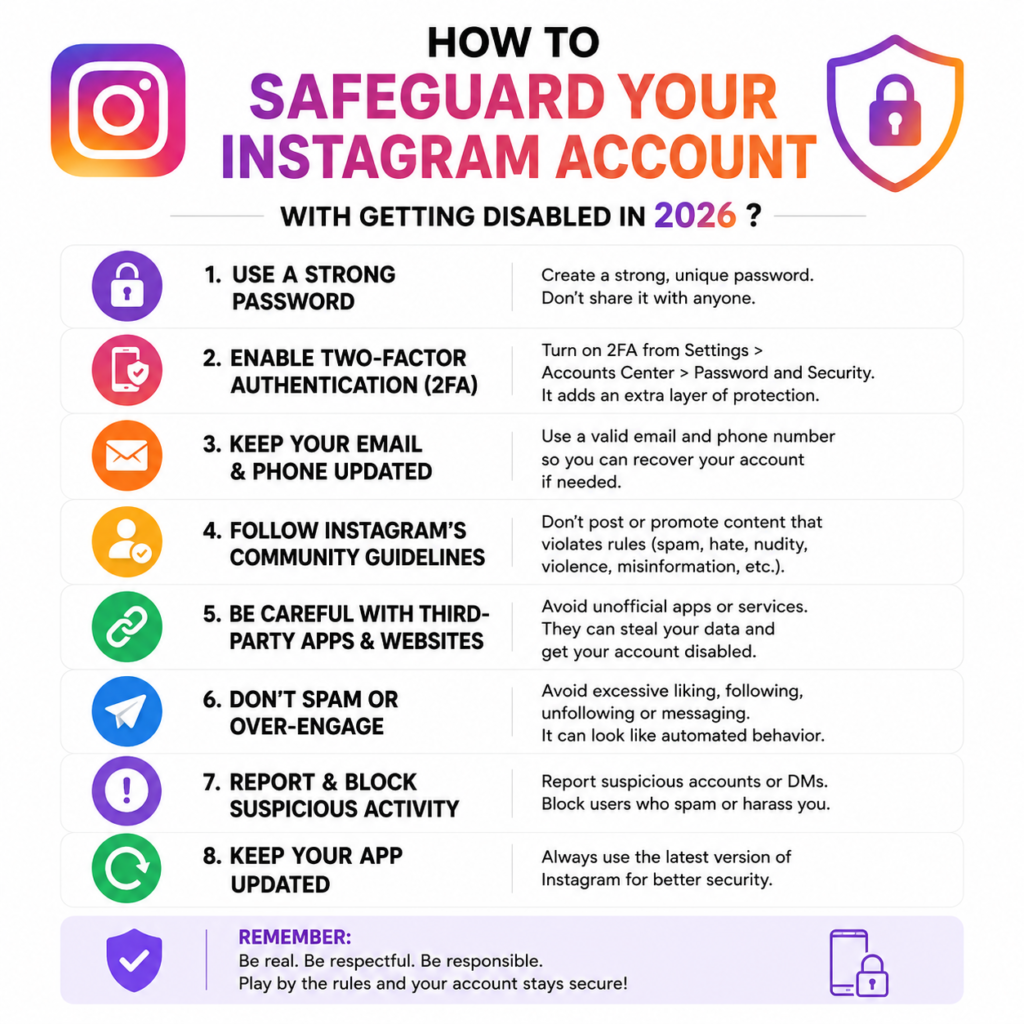
BRIEF OVERVIEW
In 2026, protecting your Instagram account is no longer optional — it’s essential. With stricter AI moderation, tighter platform policies, and increasing security threats, even genuine users can face sudden account restrictions or disablements if they are not careful. The best way to stay safe is to follow Instagram’s guidelines consistently, avoid suspicious automation tools, secure your login information, and maintain authentic activity on your account.
Check the offical instagram help center for detailed informantion
PROTECT YOUR INSTAGRAM ACCOUNT
Remember, Instagram rewards trust, consistency, and real engagement. Whether you are a creator, business owner, or casual user, taking a few preventive steps today can save you from losing years of content, followers, and hard work tomorrow. Stay informed, stay secure, and build your presence the right way — because a safe Instagram account is a sustainable Instagram account.